ลงทะเบียนธุรกิจ เพิ่มระดับการยืนยัน และสร้าง Checkify Pass สำหรับไซต์ที่ผู้ใช้ต้องพิสูจน์ความน่าเชื่อถือ
ธุรกิจใหม่ทุกแห่งจะได้รับเครดิตการตรวจสอบฟรีสูงสุด 500 ครั้ง เมื่อลงทะเบียน โดยสามารถใช้งานได้ภายใน 3 เดือน หรือจนกว่าจะหมด แล้วแต่ว่าอย่างใดจะเกิดขึ้นก่อน ไม่จำเป็นต้องใช้บัตรเครดิต ใช้เครดิตเหล่านี้สำหรับการตรวจสอบอายุและข้อมูลอื่นๆ ที่รองรับ ก่อนที่คุณจะต้องสมัครใช้แพ็กเกจแบบชำระเงิน
เมื่อเลือกการเรียกเก็บเงินแบบเกินกำหนด คุณจะถูกเรียกเก็บเงินก็ต่อเมื่อใช้เครดิตฟรี 100 หน่วยหมดแล้วเท่านั้น คุณสามารถยกเลิกการสมัครสมาชิกได้ทุกเมื่อ
ติดตั้งแอป Checkify สร้างบัญชีผู้ใช้ของคุณ จากนั้นทำตามขั้นตอนเหล่านี้ในเมนูการตั้งค่า บัญชีธุรกิจเดียวกันนี้สามารถใช้งานได้บน checkify.me เช่นกัน
ขั้นตอน 1
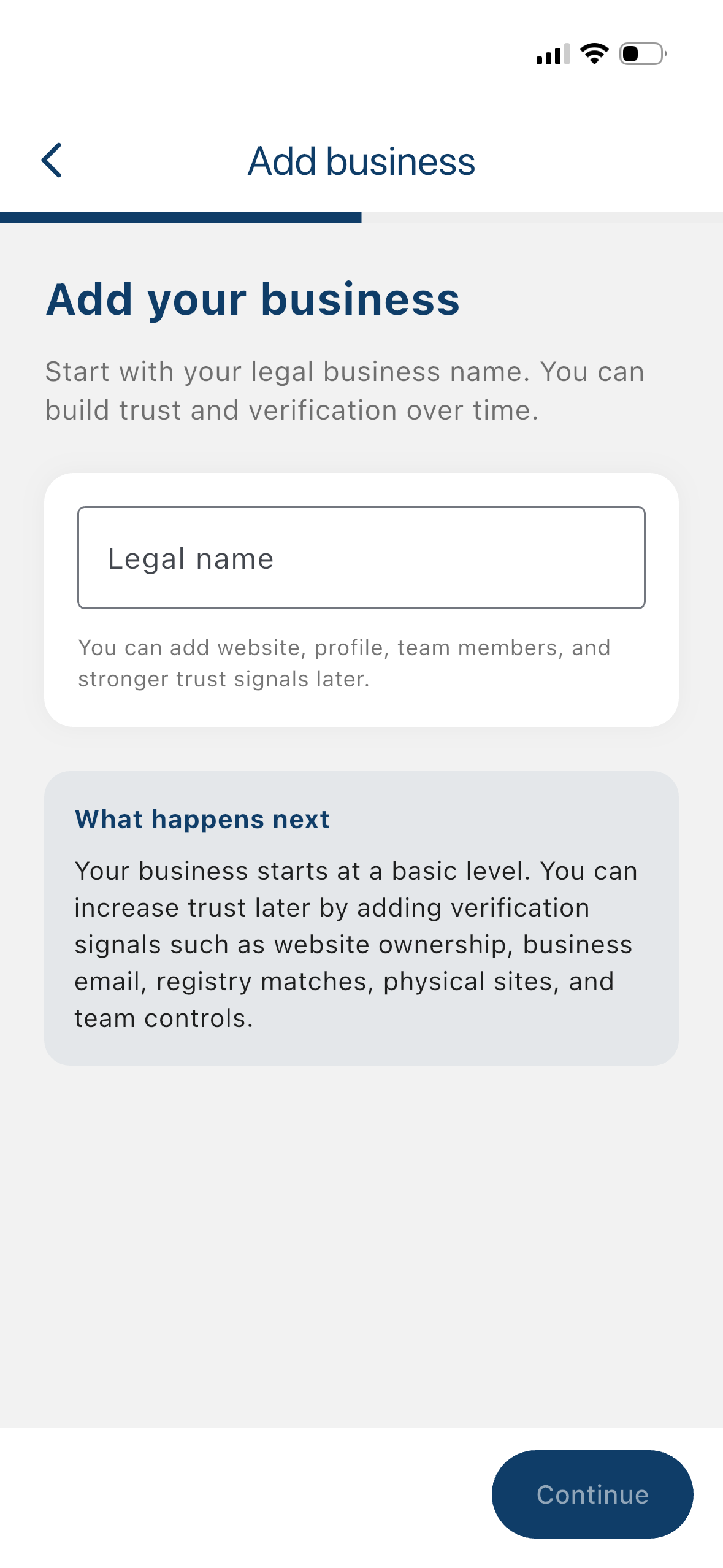
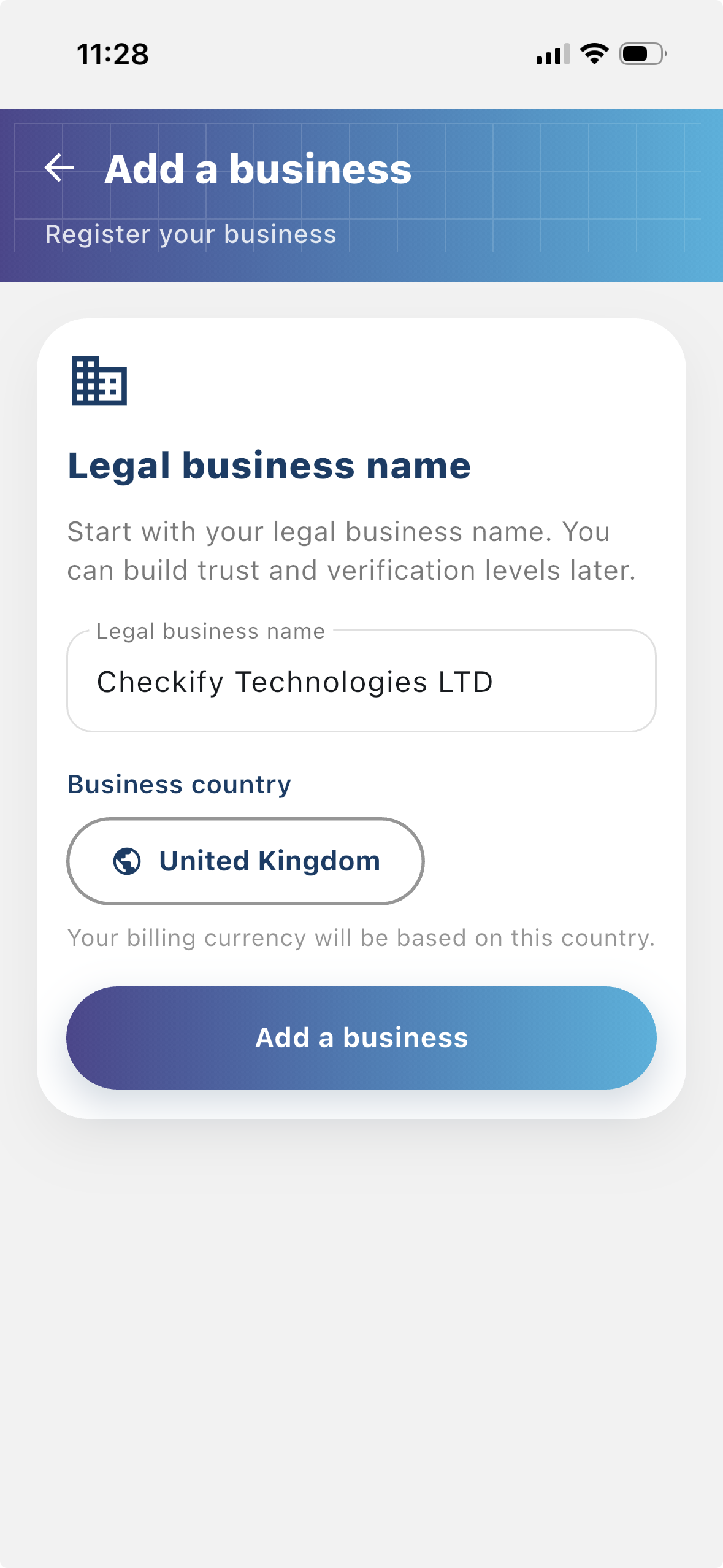
ลงทะเบียนธุรกิจเพื่อให้ผู้ใช้เห็นว่าใครกำลังขอการยืนยัน ธุรกิจที่ลงทะเบียนแล้วให้บริบทมากขึ้นแก่ขั้นตอน Checkify และช่วยสร้างความเชื่อมั่นกับผู้ใช้
ขั้นตอน 2
ไซต์คือจุดที่สร้างและใช้ Checkify Pass อาจเป็นเว็บไซต์ แอป ขั้นตอนชำระเงิน ขั้นตอนจอง สถานที่จริง แผนกต้อนรับ เคาน์เตอร์ หรือจุดอื่นๆ
ขั้นตอน 3
Checkify Pass คือคำขอหลักฐานที่คุณสร้างสำหรับไซต์ กำหนดสิ่งที่ต้องการให้ผู้ใช้พิสูจน์ เช่น การยืนยันว่าเป็นมนุษย์ อายุเกิน 18 หรือการอนุมัติสำหรับการดำเนินการเฉพาะ
จากเมนูธุรกิจ คุณสามารถ:
ขั้นตอน 4
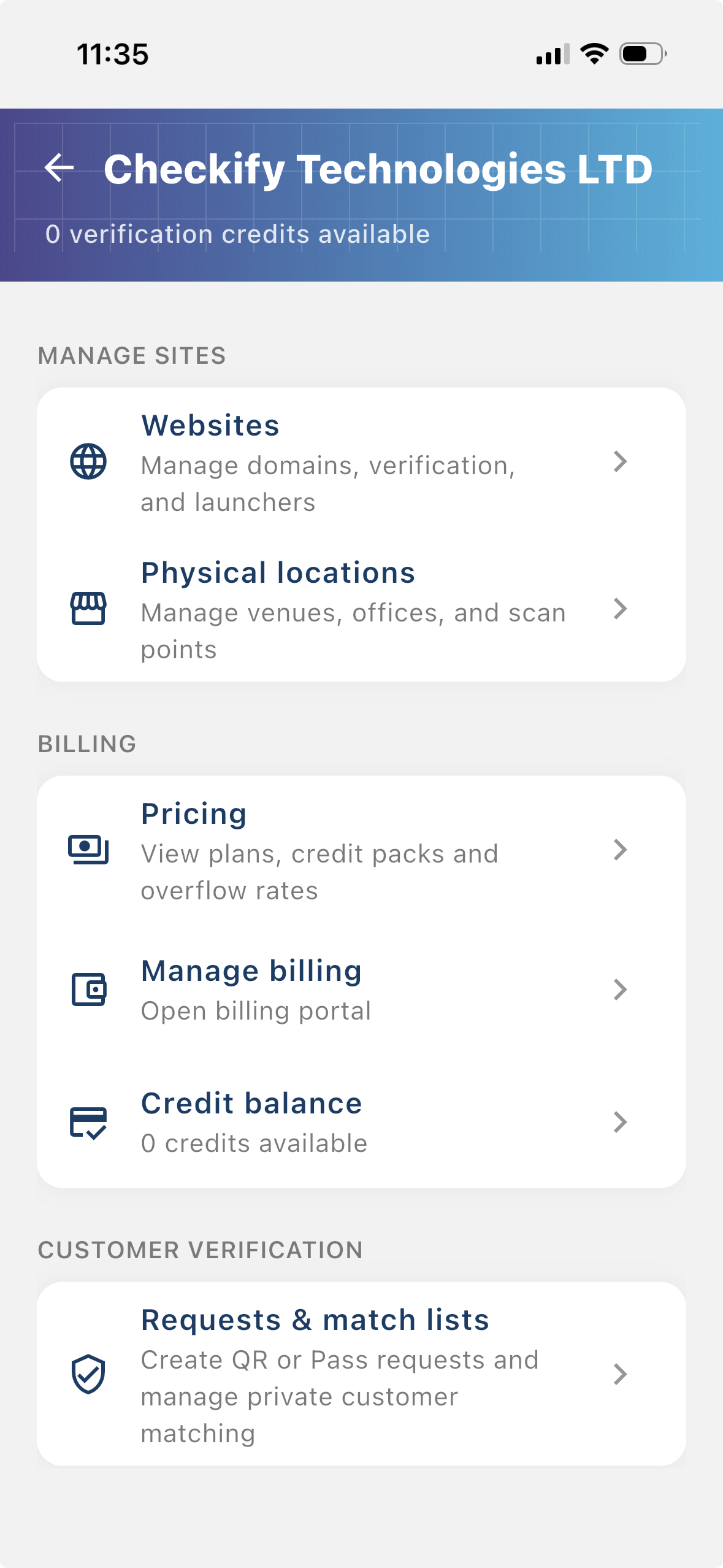
ไปที่ การตั้งค่า → จัดการไซต์ ในส่วนนี้ คุณสามารถเพิ่มเว็บไซต์ แอป หรือสถานที่จริงที่จะใช้ Checkify Passes ได้
ขั้นตอน 5
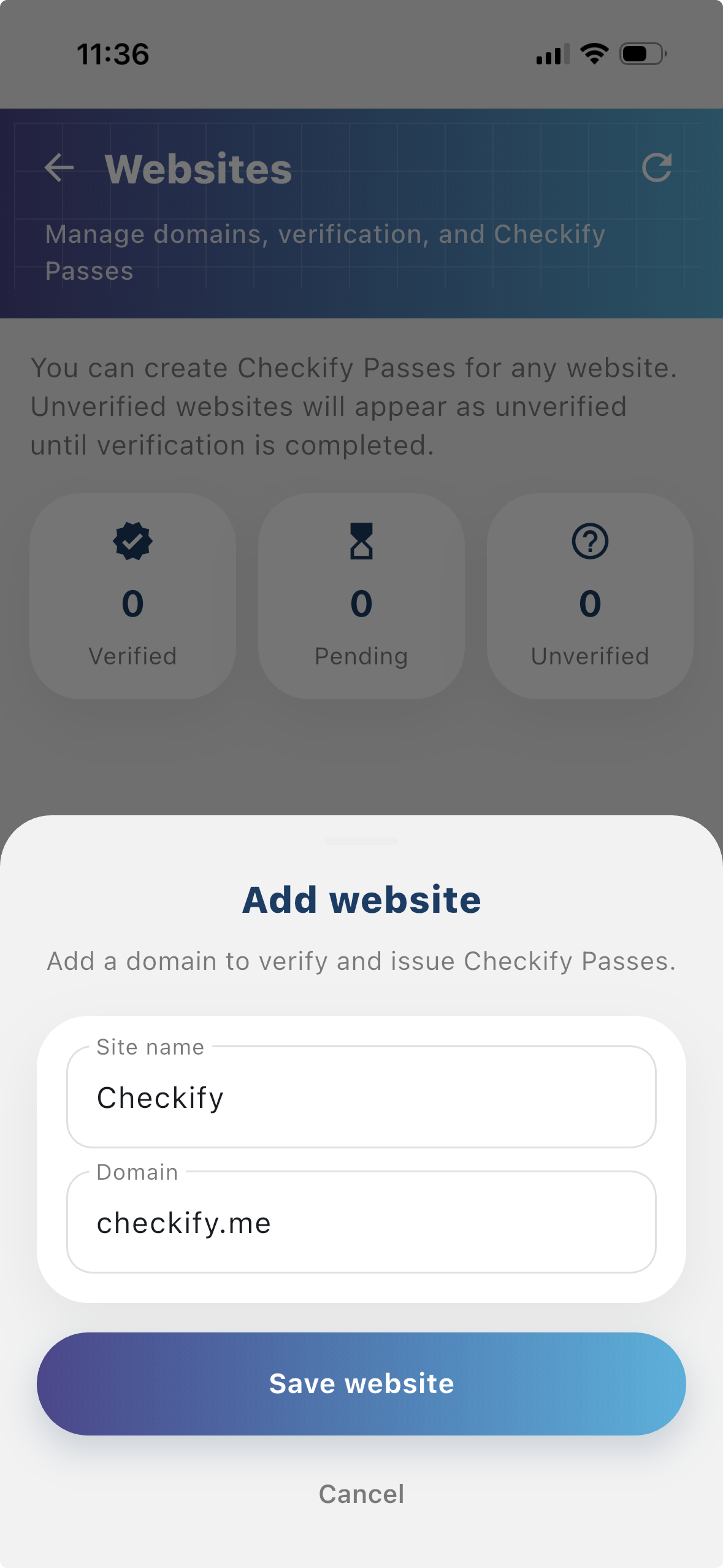
แตะเพื่อเพิ่มเว็บไซต์หรือสถานที่ตั้ง Checkify จะจัดสรรบัตรผ่านให้โดยอัตโนมัติ 1 ใบต่อสถานที่ หากนี่เป็นสถานที่แรกของคุณ ให้เลือกการเรียกเก็บเงินส่วนเกินและบันทึกบัตรเมื่อได้รับแจ้ง — คุณจะถูกเรียกเก็บเงินหลังจากใช้เครดิตฟรี 100 หน่วยหมดแล้วเท่านั้น
New businesses get 500 free verification credits for 3 months. These are applied automatically when your business is created.
เมื่อเลือกการเรียกเก็บเงินแบบเกินกำหนด คุณจะถูกเรียกเก็บเงินก็ต่อเมื่อใช้เครดิตฟรี 100 หน่วยหมดแล้วเท่านั้น คุณสามารถยกเลิกการสมัครสมาชิกได้ทุกเมื่อ
นอกจากนี้ คุณยังสามารถลงทะเบียนที่ checkify.me เข้าสู่ระบบด้วยแอป และจัดการเว็บไซต์จากแดชบอร์ดธุรกิจได้อีกด้วย การตั้งค่าแอปตามที่กล่าวมาข้างต้นเป็นวิธีที่เร็วที่สุดสำหรับทีมส่วนใหญ่
ลงทะเบียนที่ checkify.me →เริ่มด้วยหนึ่งไซต์ หนึ่งคำขอหลักฐาน และหนึ่งขั้นตอนธุรกิจ แล้วเพิ่มระดับความน่าเชื่อถือของธุรกิจเมื่อคุณเติบโต