WordPress 集成
安装 Checkify WordPress 插件,通过以下方式连接您的站点扫描 QR 代码,然后选择 Checkify Pass 应出现的位置。
从一个入口开始,例如 WooCommerce 结帐或注册,然后在准备好后展开。
概述
该插件将您的 WordPress 站点连接到 Checkify,然后让您选择应显示 Checkify Passes 的位置。
从 WordPress 管理面板添加 Checkify 或上传 Checkify 提供的插件 ZIP。
打开WordPress 左侧面板中的 Checkify 并扫描 QR 代码以将您的站点连接到 Checkify。
选择您需要的网关,例如 WooCommerce 结帐、注册、登录、表单或自定义选择器。
官方下载
请仅通过这些 checkify.me URL 安装。每个 ZIP 文件都包含 SHA-256 校验和,因此您可以在上传到 WordPress 之前验证文件。
Required for every Checkify WordPress integration. Connect your site, store your Pass ID, and power satellite plugins.
de3b1d15672cb2513df4e43c3bebde64cc43911747da924b7e2ce38dc358b2f5
下载完成后,运行:`shasum -a 256 your-file.zip`(macOS/Linux)或 `CertUtil -hashfile your-file.zip SHA256`(Windows)。哈希值必须完全匹配。
对 WooCommerce 的结账、购物车或整个店铺进行年龄验证。需要 Connector 和 WooCommerce。
6df9a5ab189e7a9ea3f05673d10ba36bf69da1f19f8778ae484804be192f250c
下载完成后,运行:`shasum -a 256 your-file.zip`(macOS/Linux)或 `CertUtil -hashfile your-file.zip SHA256`(Windows)。哈希值必须完全匹配。
也可在以下平台获取 WordPress.org
对 WordPress 登录和注册进行人机验证。需要连接器。
d0dfd52636a22853609092b8ad33716f288b3d412f322a9b816a4e65c6ea2e82
下载完成后,运行:`shasum -a 256 your-file.zip`(macOS/Linux)或 `CertUtil -hashfile your-file.zip SHA256`(Windows)。哈希值必须完全匹配。
发布评论前需要进行 Checkify 验证。需要连接器。
129f886d0a347869af00330367f9fa4424f9af877dfa83855127461179e59949
下载完成后,运行:`shasum -a 256 your-file.zip`(macOS/Linux)或 `CertUtil -hashfile your-file.zip SHA256`(Windows)。哈希值必须完全匹配。
在发送 Contact Form 7 表单提交之前,需要进行人工验证。需要 Connector 和 CF7。
c17db0cc54cc3e15b9d17a37e0b5bbab4667e40aafaa1d18d1b5e70d470d3d44
下载完成后,运行:`shasum -a 256 your-file.zip`(macOS/Linux)或 `CertUtil -hashfile your-file.zip SHA256`(Windows)。哈希值必须完全匹配。
使用 Checkify 验证门保护页面或文章。需要连接器。
a8c9c28dd93841637b61e6393fddbce4690d1a8e1c6022a1c18414a695dddab1
下载完成后,运行:`shasum -a 256 your-file.zip`(macOS/Linux)或 `CertUtil -hashfile your-file.zip SHA256`(Windows)。哈希值必须完全匹配。
WordPress 设置步骤
按照以下步骤安装插件,连接您的站点,选择您的网关,然后添加您的 Checkify Pass ID。
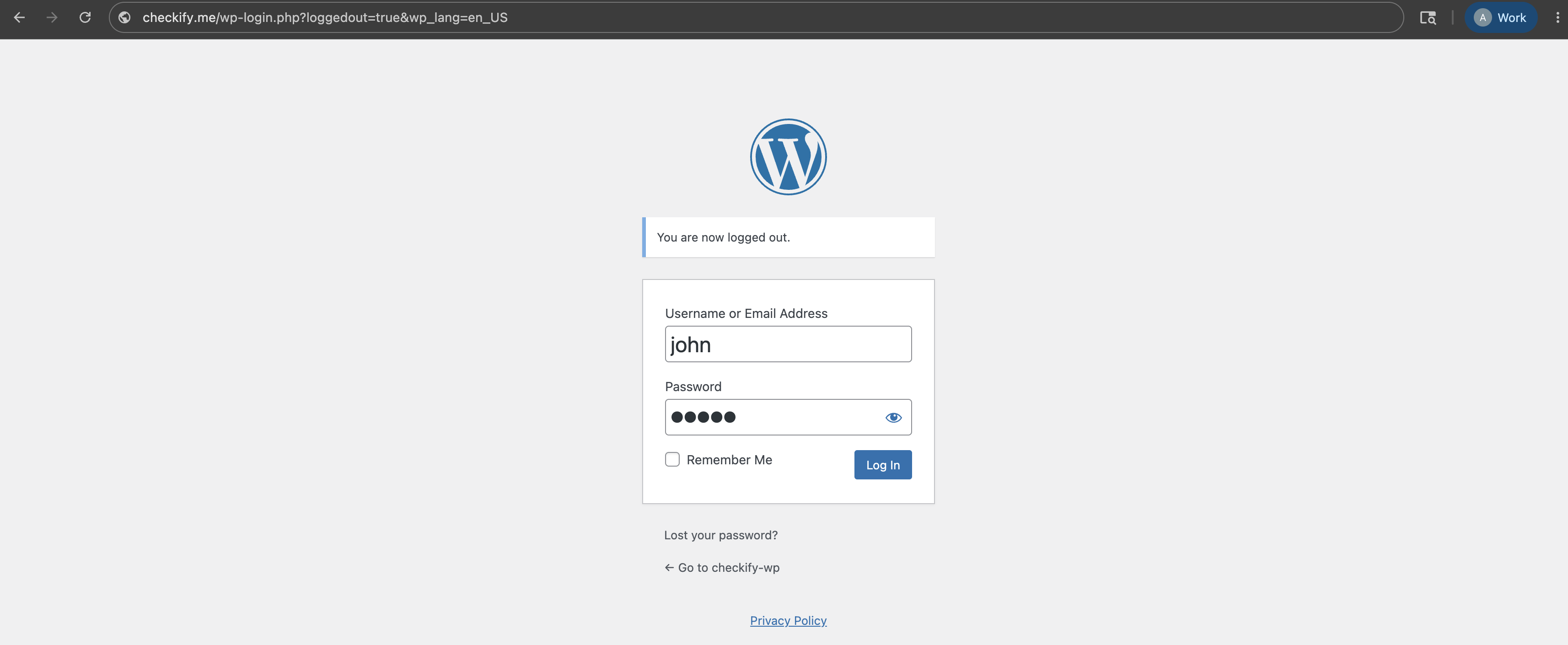
步骤1
首先登录您的 WordPress 管理仪表板。通常可以在您的网站地址后跟 /wp-admin 找到。
步骤2
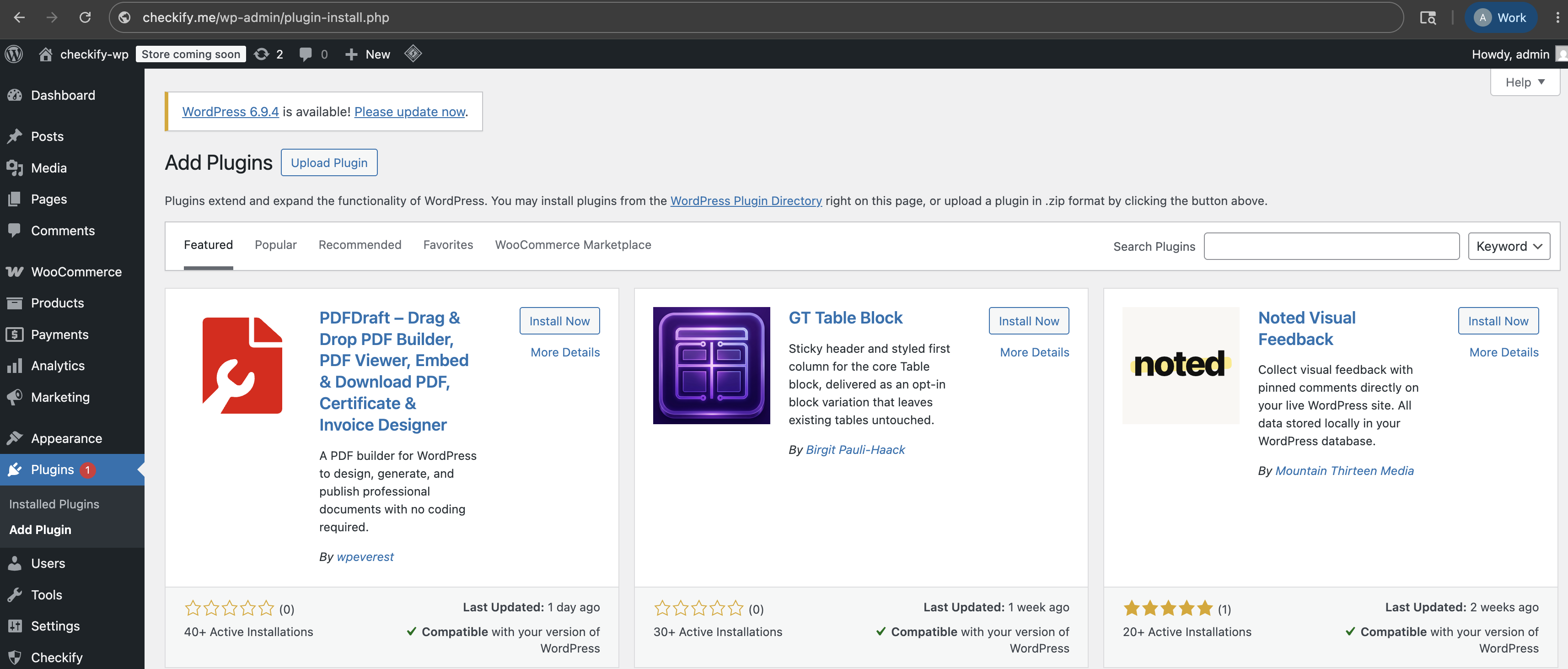
在左侧WordPress菜单中,打开插件,然后选择添加插件。
步骤3
在WordPress插件目录中搜索Checkify。如果您直接从 Checkify 收到插件,请上传 ZIP 文件。
选项1:在WordPress中搜索Checkify。
选项2:上传Checkify插件ZIP文件。

步骤4
在插件下,打开已安装的插件并确保 Checkify 插件处于活动状态。

步骤5
插件激活后,WordPress 左侧面板中会出现 Checkify 菜单项。打开它以开始连接您的站点。

步骤6
Checkify 插件显示 QR 代码。使用Checkify扫描,将您的WordPress网站连接到您的Checkify帐户。
连接后,您的WordPress网站将通过Checkify连接器链接。

步骤7
在Checkify插件中搜索您需要的门。例如,您可以选择 WooCommerce 结帐门、注册门、登录门、表单门或自定义选择器。

步骤8
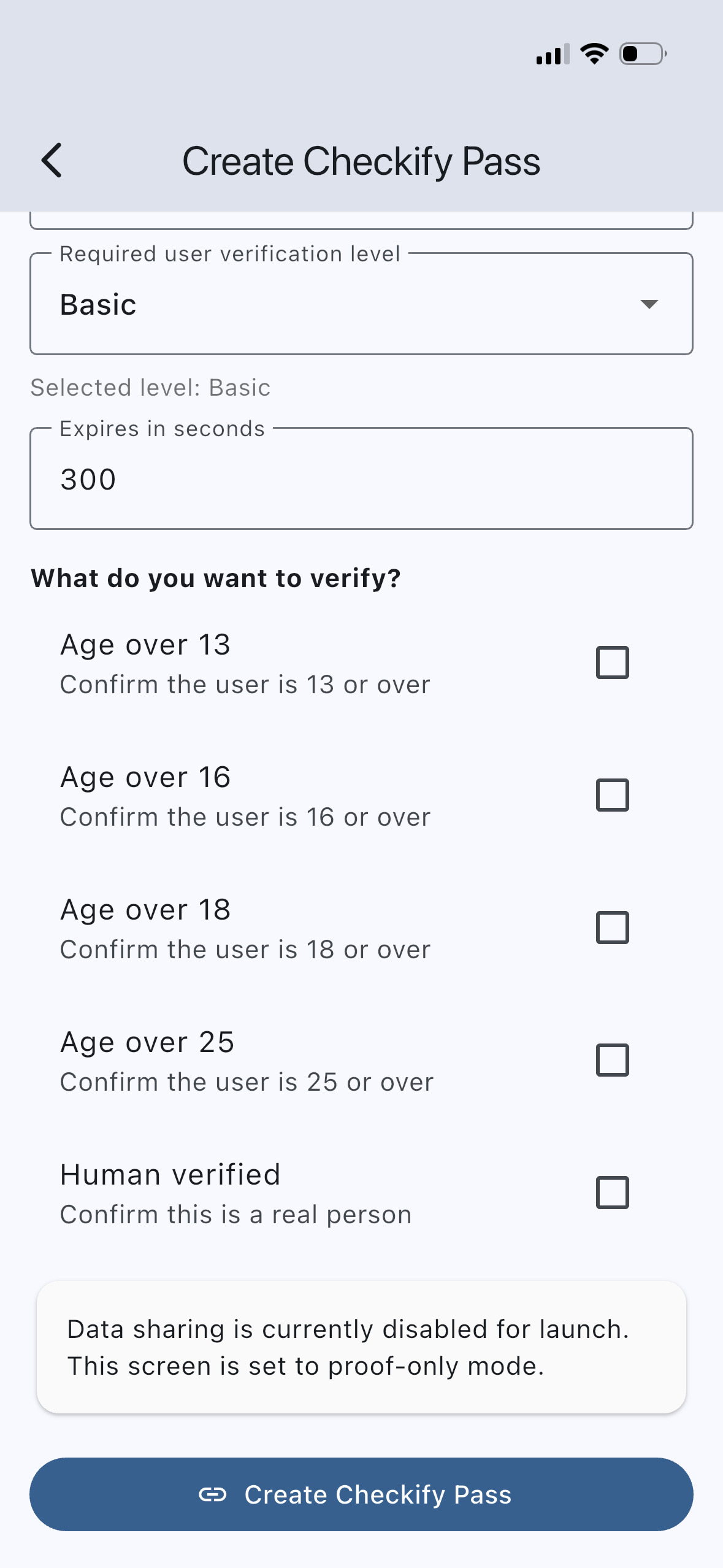
在 Checkify 应用程序或业务面板中创建 Checkify Pass。通行证定义了证明请求,例如人工验证、18 岁以上或一起进行多个证明。
步骤9
在 Checkify WordPress 插件中打开选定的门,并将 Checkify Pass ID 粘贴到插件详细信息页面。
每当触发选定的门时,插件将使用该 Pass ID。
Checkify Pass ID: YOUR_CHECKIFY_PASS_ID
步骤10
启用所选门并在您的 WordPress 站点上进行测试。当用户到达该流程时,Checkify 将显示正确的 Pass 请求。
插件指南
步骤 1-10 仅适用于 Checkify 连接器。每个插件都会添加自己的网关——请安装所需的插件并按照其对应的设置指南进行操作。
在结账页面、购物车页面或整个店铺页面进行年龄验证。支持类别限制和阻止结账。
WooCommerce 设置指南 →对 WordPress 登录和注册流程进行人工验证。
下载插件 →在发布之前,请将评论置于Checkify Pass之后。
下载插件 →在提交 Contact Form 7 表格之前,需要进行验证。
下载插件 →使用 Checkify 验证门保护选定的页面或帖子。
下载插件 →安装插件,连接您的站点,选择一个网关,然后添加您的Checkify Pass ID。