WordPress 統合
Checkify WordPress をインストールします。プラグインを使用するには、QR コードをスキャンしてサイトに接続し、Checkify Pass を表示する場所を選択します。
WooCommerce チェックアウトやサインアップなどの 1 つのゲートから開始し、準備ができたら拡張します。
概要
このプラグインは、WordPress サイトを Checkify に接続し、Checkify Passes を表示する場所を選択できるようにします。
WordPress 管理パネルから Checkify を追加するか、Checkify によって提供されるプラグイン ZIP をアップロードします。
WordPress 左側のパネルで Checkify を開き、QR コードをスキャンしてサイトを Checkify に接続します。
WooCommerce チェックアウト、サインアップ、ログイン、フォーム、カスタムなど、必要なゲートを選択してくださいセレクター。
公式ダウンロード
インストールは、以下のcheckify.meのURLからのみ行ってください。各ZIPファイルにはSHA-256チェックサムが含まれているため、WordPressにアップロードする前にファイルを検証できます。
Required for every Checkify WordPress integration. Connect your site, store your Pass ID, and power satellite plugins.
de3b1d15672cb2513df4e43c3bebde64cc43911747da924b7e2ce38dc358b2f5
ダウンロード後、macOS/Linux の場合は `shasum -a 256 your-file.zip`、Windows の場合は `CertUtil -hashfile your-file.zip SHA256` を実行してください。ハッシュ値は完全に一致する必要があります。
WooCommerceのチェックアウト、カート、またはストアフロント全体での年齢確認。コネクタとWooCommerceが必要です。
6df9a5ab189e7a9ea3f05673d10ba36bf69da1f19f8778ae484804be192f250c
ダウンロード後、macOS/Linux の場合は `shasum -a 256 your-file.zip`、Windows の場合は `CertUtil -hashfile your-file.zip SHA256` を実行してください。ハッシュ値は完全に一致する必要があります。
また、以下のプラットフォームでもご利用いただけます。 WordPress.org
GLO5へのログインおよび登録時に人間による認証が必要です。コネクタが必要です。
d0dfd52636a22853609092b8ad33716f288b3d412f322a9b816a4e65c6ea2e82
ダウンロード後、macOS/Linux の場合は `shasum -a 256 your-file.zip`、Windows の場合は `CertUtil -hashfile your-file.zip SHA256` を実行してください。ハッシュ値は完全に一致する必要があります。
コメントを投稿する前に、Checkify の認証が必要です。コネクタが必要です。
129f886d0a347869af00330367f9fa4424f9af877dfa83855127461179e59949
ダウンロード後、macOS/Linux の場合は `shasum -a 256 your-file.zip`、Windows の場合は `CertUtil -hashfile your-file.zip SHA256` を実行してください。ハッシュ値は完全に一致する必要があります。
Contact Form 7の送信前に人間による確認が必要です。コネクタとCF7が必要です。
c17db0cc54cc3e15b9d17a37e0b5bbab4667e40aafaa1d18d1b5e70d470d3d44
ダウンロード後、macOS/Linux の場合は `shasum -a 256 your-file.zip`、Windows の場合は `CertUtil -hashfile your-file.zip SHA256` を実行してください。ハッシュ値は完全に一致する必要があります。
ページや投稿をCheckify検証ゲートで保護します。コネクタが必要です。
a8c9c28dd93841637b61e6393fddbce4690d1a8e1c6022a1c18414a695dddab1
ダウンロード後、macOS/Linux の場合は `shasum -a 256 your-file.zip`、Windows の場合は `CertUtil -hashfile your-file.zip SHA256` を実行してください。ハッシュ値は完全に一致する必要があります。
クイックスタート
以下の手順に従ってプラグインをインストールし、サイトを接続して、最初のCheckify Passを追加してください。ナレーション付きのビデオチュートリアルも近日公開予定です。
WordPress セットアップ手順
次の手順に従って、プラグインをインストールし、サイトに接続し、ゲートを選択し、Checkify Pass ID を追加します。
ステップ 1
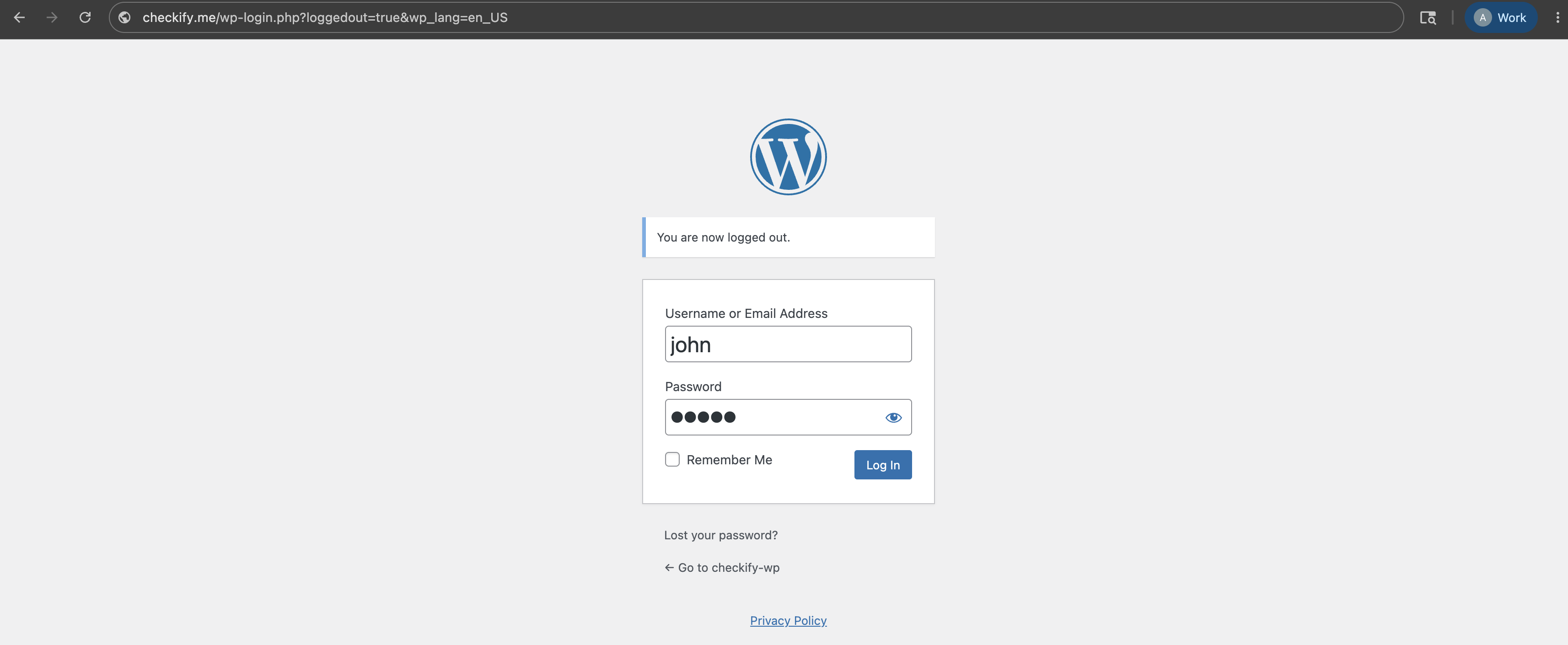
まず、WordPress 管理ダッシュボードにログインします。これは通常、Web サイトのアドレスに /wp-admin が続いた場所にあります。
ステップ 2
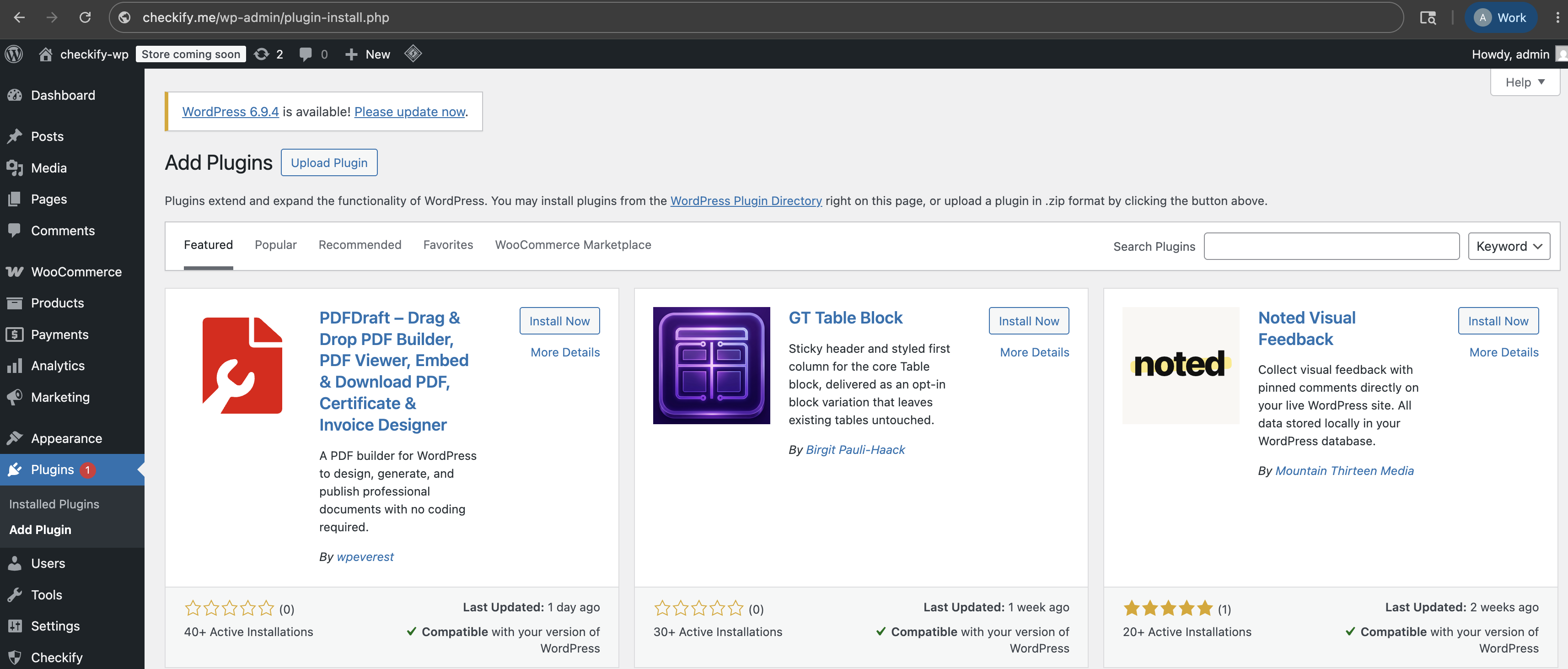
左側のWordPressメニューで「プラグイン」を開き、「プラグインの追加」を選択します。
ステップ 3
WordPress プラグイン ディレクトリで Checkify を検索します。 Checkify からプラグインを直接受け取った場合は、代わりに ZIP ファイルをアップロードしてください。
オプション 1: WordPress で Checkify を検索します。
オプション 2: Checkify プラグイン ZIP ファイルをアップロードします。

ステップ 4
「プラグイン」で「インストール済みプラグイン」を開き、Checkify プラグインがアクティブであることを確認します。

ステップ 5
プラグインがアクティブになると、Checkify メニュー項目がWordPress 左パネル。これを開いてサイトへの接続を開始します。

ステップ 6
Checkify プラグインは QR コードを表示します。 Checkify でスキャンして、WordPress サイトを Checkify アカウントに接続します。
接続すると、WordPress サイトは Checkify コネクタを介してリンクされます。

ステップ 7
Checkify プラグイン内で必要なゲートを検索します。たとえば、WooCommerce チェックアウト ゲート、サインアップ ゲート、ログイン ゲート、フォーム ゲート、またはカスタム セレクターを選択できます。

ステップ 8
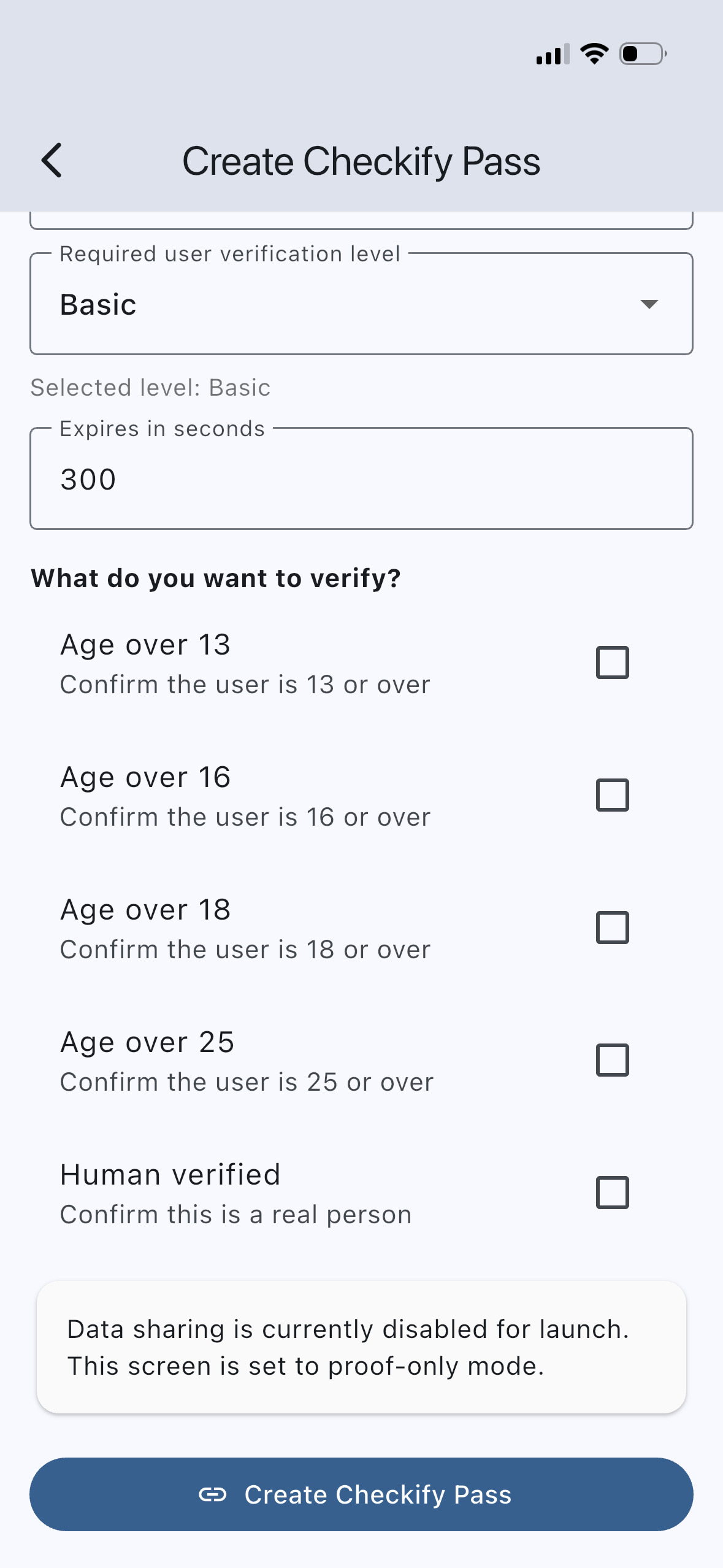
Checkify アプリまたはビジネス パネルで Checkify Pass を作成します。パスは、人間による検証、18 歳以上、または複数の証明の組み合わせなどの証明リクエストを定義します。
ステップ 9
Checkify WordPress プラグインで選択したゲートを開き、Checkify Pass ID をプラグインの詳細ページに貼り付けます。
選択したゲートがトリガーされるたびに、プラグインはそのパス ID を使用します。
Checkify Pass ID: YOUR_CHECKIFY_PASS_ID
ステップ 10
選択したゲートを有効にして、WordPress サイトでテストします。ユーザーがそのフローに到達すると、Checkify は正しいパス要求を表示します。
プラグインガイド
手順1~10はCheckifyコネクタのみを対象としています。各プラグインは独自のゲートを追加します。必要なプラグインをインストールし、専用のセットアップガイドに従ってください。
チェックアウト時、カートページ、またはストア全体で年齢確認が可能です。カテゴリ制限やチェックアウトのブロックにも対応しています。
WooCommerce セットアップガイド →GLO5のログインおよび登録フローにおける人間による認証。
プラグインをダウンロード →投稿される前に、コメントはCheckify Passで囲まれます。
プラグインをダウンロード →Contact Form 7の送信前に本人確認を必須とする。
プラグインをダウンロード →選択したページや投稿をCheckify認証ゲートで保護します。
プラグインをダウンロード →プラグインをインストールし、サイトに接続し、ゲートを選択し、 Checkify Pass ID.